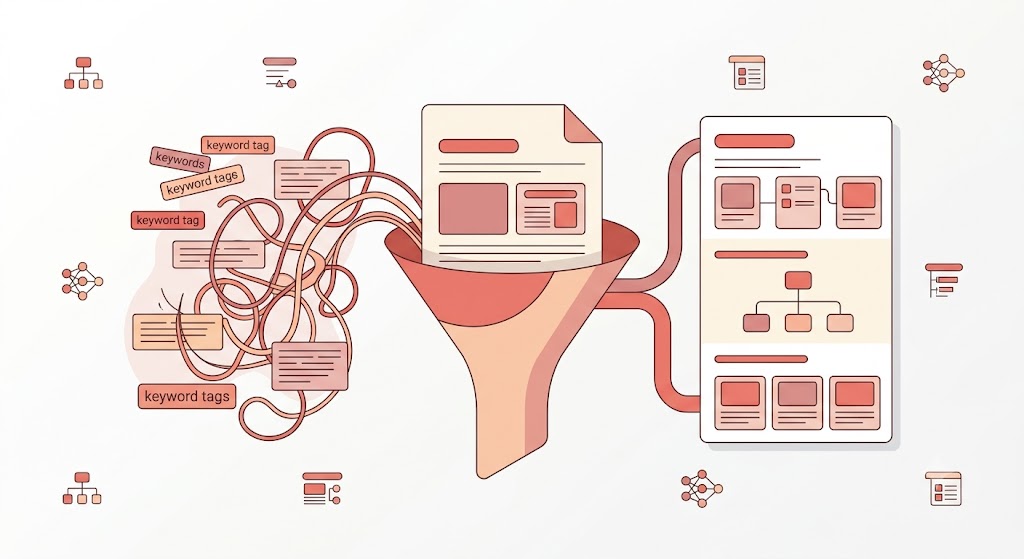
Most SEO advice starts in the same place: add more keywords. Sprinkle them in headings. Work them into the intro. Make sure your target phrase appears enough times that Google "gets it."
That's not really how Google works anymore, and it's not how AI search systems work at all. According to Google's own developer blog, success in both traditional search and Google's AI experiences comes from the same underlying requirement: unique, well-organized content that clearly demonstrates what it's about, not keyword density. The challenge isn't hiding keywords in the right spots. It's helping Google and AI systems quickly identify the shape of your content: what the page covers, what questions it answers, and how the ideas connect.
This practice has a name: semantic SEO, structuring content around concepts and their relationships instead of isolated keyword phrases. It's an information architecture problem, not a keyword problem, and the good news is you can often fix it without rewriting a single sentence.
Keywords Are Not the Same Thing as Concepts
A keyword is a word or phrase. A concept is an idea with relationships. Google has gotten very good at understanding the difference.
Take "backlinks" as an example. As a standalone keyword, it tells Google something. What actually signals topical depth is whether the page also covers the concepts surrounding it: authority, referring domains, anchor text, link equity, outreach, rankings. These aren't separate topics being stuffed in. They're the natural ecosystem of the main subject. When content addresses them, Google gets a clearer picture of what the page actually knows, not just which word it's targeting.
A page built around a concept, with supporting ideas that connect logically, sends a stronger signal than a page that repeats a phrase a dozen times without showing how the pieces fit together. Structure is how those relationships become visible.
Build Content Around a Clear Information Hierarchy
Before touching a heading or rearranging a paragraph, the first question is: what is this page actually about, and what does a reader expect to learn from it?
Most pages skip this step. They start writing and figure out structure as they go, producing a page where the ideas are all present but the relationship between them isn't obvious. Google needs to see those relationships; it builds a working map of a page's main topic, supporting ideas, and the questions being answered.
Weak structure for an article on backlinks: Definition, Outreach tips, Tools, Rankings, Common mistakes. These sections aren't wrong, but there's no logic to the order and no sense of how one idea builds on the next.
Stronger structure: What Are Backlinks? → Why Backlinks Matter for Rankings → What Makes a Backlink Actually Good? → How to Build Backlinks. Same territory, but now there's a clear sequence a reader, and Google, can follow from start to finish.
Building that sequence before writing, rather than during, is what makes everything downstream easier.
Use Headings Like a Table of Contents
Headings are the skeleton of a page, and Google uses them directly. Google's own guidance confirms that heading elements are one of the signals used when generating title links in search results, meaning heading quality has a direct line to how a page appears in search.
H1: one clear topic per page, stating exactly what the whole piece covers.
H2s: the major questions or concepts the page addresses. Someone skimming only the H2s should walk away with an accurate outline.
H3s: supporting details under each H2.
The most common mistake isn't the wrong heading level, it's a vague or clever heading that hides what a section covers. "Things You Should Know" tells Google nothing. "How Many Backlinks Do You Need to Rank?" tells Google exactly what question the section answers. Clever works for headlines. Headings are for navigation.
Put Your Most Important Information First
Google scans for signals rather than reading start to finish the way a person might read a novel. When key context appears early, both Google and readers identify a page's purpose faster instead of piecing it together from scattered clues.
This is called front-loading clarity: the most important information appears near the top, not after several paragraphs of preamble. Definition first. Explanation second. Context and nuance third. This isn't just better for Google, it removes the need for a reader to wade through setup to find the answer they came for.
Show Google and AI Systems How Your Topics Connect
A page doesn't exist in isolation, and neither Google nor AI systems treat it like it does. Google is explicit that anchor text in internal links helps both people and Google make sense of a site and find related pages. When a page naturally references related concepts and links to relevant content, it demonstrates understanding of the broader topic, not just the immediate one.
An article about backlinks shouldn't be a dead end. It should connect naturally to link equity, referring domains, anchor text, domain authority, and outreach, not as tangents, but as the actual ecosystem around the main topic. This is what topical authority means in practice: content that's visibly connected, not just voluminous.
This matters even more for AI search specifically. When an AI system like Perplexity or Google's AI Overviews evaluates a page for a query like "how does link building work," it isn't searching for the exact phrase repeated the most times. It's assessing entity coverage: does the page demonstrate real, connected knowledge of the surrounding concepts, or does it only address the headline topic in isolation? A page that explicitly models those relationships is far more likely to be pulled into a generated answer than one that covers the same ground without connecting it to anything.
Use Structured Data to Make Your Content Machine-Readable
Structure at the writing level (headings, hierarchy, internal links) tells a human reader and a crawler how content is organized. Structured data (schema markup) goes a step further: it explicitly labels what each piece of content is, in a format machines can parse directly, rather than infer.
Google's own documentation states that Google uses structured data to understand page content and to gather information about the entities, people, and topics described on it. Structured data isn't a ranking-manipulation trick; it's a translation layer that removes ambiguity a crawler or AI system would otherwise have to guess at.
The practical case for this is measurable. Nestlé, cited directly in Google's own structured data documentation, found that pages appearing as rich results through structured data received an 82% higher click-through rate than non-rich result pages. Adding Article, FAQ, or Organization schema (most CMS platforms support this through a plugin or template field) is a low-effort way to make a page's topic, author, and structure explicit rather than inferred.
Use Definitions, Examples, and Comparisons Strategically
Google and AI systems both respond well to specificity. A page that establishes clear meaning and backs it up with examples is easier to understand and easier to trust.
Definitions anchor the page.
"Link equity is the authority passed through a hyperlink from one page to another." One sentence, and both the reader and Google know exactly what's being discussed.
Examples show concepts in action.
Describing what a good backlink looks like is fine. Showing a specific scenario is stronger.
Comparisons clarify distinctions.
When an audience might confuse two related things, such as Domain Rating and Domain Authority, a direct comparison answers a common question while helping Google understand the conceptual territory being covered. For a full breakdown of exactly this kind of distinction, see our guide on Domain Rating vs. Domain Authority.
None of this is complicated. It's specificity instead of vagueness, which is good writing advice independent of SEO.
How to Restructure an Existing Article Without Rewriting It
Most existing content is closer to done than it looks. It usually needs better organization, not new writing.
- Find the main question. What does someone type into Google before landing on this page? The answer needs to be obvious and early.
- Identify missing sections. Are there questions a reader would naturally have that the page doesn't answer?
- Reorder the information. Does the structure match how someone would actually think through the topic?
- Improve the headings. Does each one actually describe what's in that section?
- Add internal links. Connect this page to related content that covers concepts it mentions but doesn't fully explain. For a fuller framework on how internal linking should be structured across a site, see our guide on Link Building for SEO.
- Check the intro and conclusion. Does the intro state exactly what the page covers? Does the conclusion reinforce the key takeaway rather than trailing off?
The content can stay mostly intact. The structure is what changes.
A Quick Checklist Before You Publish
If the answer to any of these is no, that's the next edit.
Frequently Asked Questions
What is semantic SEO?
Semantic SEO is the practice of structuring content around concepts, entities, and their relationships rather than repeating keyword phrases. It helps Google and AI systems understand a page's topic, depth, and context, rather than matching on exact wording alone.
What is content structure in SEO?
Content structure is how information is organized on a page: heading hierarchy, the order ideas are introduced, how concepts connect to each other, and where key answers appear. Clear structure makes it easier for both readers and search engines to understand a page's purpose.
How do headings help Google understand content?
Headings act as a map of a page. Google uses them to identify the main topic through the H1, major subtopics through H2s, and supporting details through H3s. Google has also confirmed that heading elements factor directly into how title links are generated in search results.
Should I add more keywords to help Google understand my page?
Usually not. Google understands natural language well enough that keyword repetition adds little additional signal. Clear structure, logical hierarchy, and specific language establish meaning far more effectively than keyword density.
Does structured data actually affect rankings?
Structured data primarily affects how a page can appear in search results (through rich results) and how clearly machines can parse its content, rather than directly boosting ranking position. Google's own data shows rich results driving meaningfully higher click-through rates, and clearer machine-readability supports how both traditional search and AI systems interpret a page.
How do I optimize old content without rewriting it?
Start with structure, not sentences. Reorder sections so the most important information comes first, fix vague headings, add internal links to related content, and fill gaps where a reader would have obvious follow-up questions. Most of the time, the writing itself doesn't need to change much.
The Bottom Line
Google and AI systems don't need content written differently. They need meaning that's easier to extract.
Main idea. Supporting ideas. Details. Connections, made explicit through both structure and, where relevant, structured data. That's the architecture. The rest is execution.
Structure Gets You Understood. Backlinks Get You Trusted.
Clear structure helps Google and AI systems understand what a page covers and why it matters. Understanding isn't the same as authority.
Backlinks provide the external trust signal that shows Google a page deserves to compete. When relevant, high-quality sites link to a page, they reinforce that it belongs in the conversation.
At LinkyJuice, we build authoritative, relevant backlinks for SaaS, AI, and e-commerce brands, the kind that genuinely contribute to that trust signal. If your structure is solid and rankings still aren't where they should be, the missing signal is probably authority. Let's work on that.
About the Author
Davit Nazaretyan writes about link building, backlink audits, and SEO automation at LinkyJuice. His work focuses on separating what actually moves rankings from what just looks like it does: from cleaning up toxic backlink profiles to building outreach systems that hold up against algorithm updates. Connect on LinkedIn.